 ShiftTable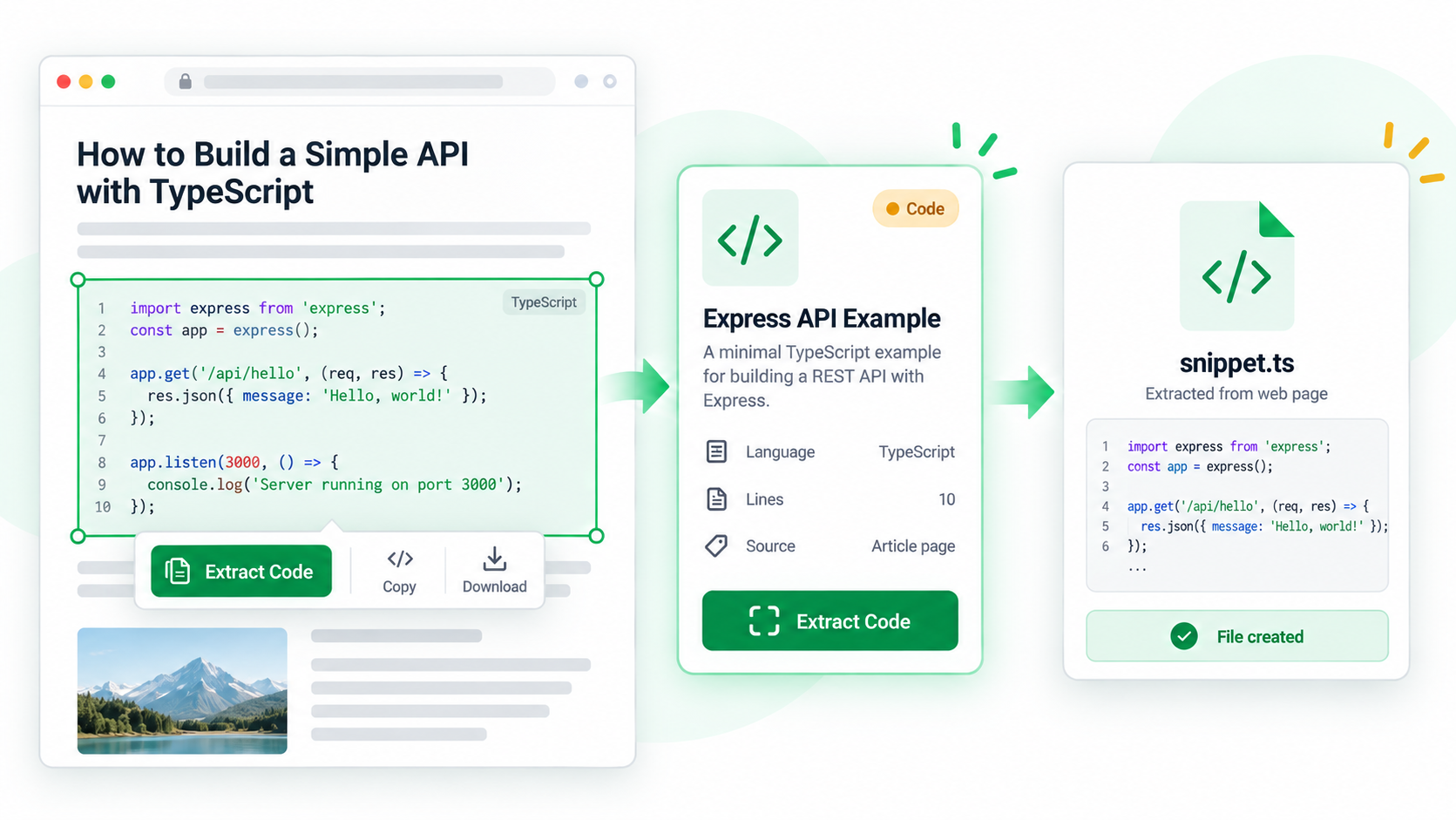
Documentation pages often contain a complete example, a short fragment, and an output block close together. Capturing the correct block means checking its boundary and its role in the surrounding explanation before sending it elsewhere.
Extract one code block
- Let the page finish rendering all examples, tabs, and expandable sections.
- Hover over the intended block and press Shift + F. Confirm the highlight excludes prose, line numbers, and the output from a neighboring example.
- Use C to copy, D to download, or A to send the selected code to the AI sidebar.
- Keep the language label, heading, source URL, and any required setup notes with the capture.
- Compare the first and last lines with the page before editing or running it.
Why context matters
A snippet may depend on imports, environment variables, a preceding definition, or a specific runtime. The code block is the payload; the nearby heading and explanation tell you how to interpret it.
Common questions
Several blocks are highlighted
Move the pointer to the exact block and capture again. If the example is split across collapsible sections, capture each part and preserve their order.
The language label is missing
Keep the page heading and URL, then infer the language only after checking syntax and surrounding text. Do not rename a file based on guesswork.
Can AI safely complete the code?
AI can explain or transform the capture, but verify dependencies, secrets, network calls, and behavior before using its output.
Try it on your next table.
Install ShiftTable, refresh your source page, and press Shift + F to begin.
Add to Chrome